三湘古邑

我想在那里最蓝的大海扬帆。

0%

1
2
3
4
5
6
7
8
9
10
11
12
13
14
15
16
17
18
19
20
21
22
23
24
25
26
27
28
29
30
31
32
33
34
35
36
37
38
39
40
41
42
43
44
45
46
47
48
49
50
51
52
53
54
55
56
57
58
59
60
61
62
63
64
65
66
67
68
69
70
71
72
73
74
75
76
77
78
79
80
81
82
83
84
85
86
87
88
89
90
91
92
93
94
95
96
97
98
99
100
101
102
103
104
105
106
107
108
109
110
111
112
113
114
115
116
117
118
119
120
121
122
123
124
125
126
127
128
129
130
131
132
133
134
135
136
137
138
139
140
141
142
143
144
145
146
147
148
149
150
151
152
153
154
155
156
157
158
159
160
161
162
163
164
165
166
167
168
169
170
171
172
173
174
175
176
177
178
179
180
181
182
Map<String, Integer> totalStock = new HashMap<>();
AtomicInteger total = new AtomicInteger();
private List<Car> carList = new ArrayList<>();

public void testSale() {
produceCar();
for (; ; ) {
if (total.get()>0) {
sleep(TimeUnit.MILLISECONDS,200);
saleCar();
} else {
System.out.println("所有库存都卖完了,快点进货吧!");
break;
}
}
}

private void saleCar() {
new Thread(() -> carList.forEach(car -> car.sale(new Custom(RandomUtil.randomString(10),
RandomUtil.randomDouble(0, 1000000.00)))), "小红").start();

new Thread(() -> carList.forEach(car -> car.sale(new Custom(RandomUtil.randomString(10),
RandomUtil.randomDouble(0, 1000000.00)))), "小张").start();

new Thread(() -> carList.forEach(car -> car.sale(new Custom(RandomUtil.randomString(10),
RandomUtil.randomDouble(0, 1000000.00)))), "小明").start();

new Thread(() -> carList.forEach(car -> car.sale(new Custom(RandomUtil.randomString(10),
RandomUtil.randomDouble(0, 1000000.00)))), "小花").start();

}

private void produceCar() {
System.out.println("开始进购汽车....");
carList.add(new Car("高尔夫", 10, 129888, 0.94f));
totalStock.put("高尔夫", 10);
total.addAndGet(10);
System.out.println("进购高尔夫 10");
carList.add(new Car("Polo", 10, 90998, 0.9f));
totalStock.put("Polo", 10);
total.addAndGet(10);
System.out.println("进购Polo 10");
carList.add(new Car("迈腾", 40, 186898, 0.9f));
totalStock.put("迈腾", 40);
total.addAndGet(40);
System.out.println("进购迈腾 40");
carList.add(new Car("途观", 30, 199088, 0.91f));
totalStock.put("途观", 30);
total.addAndGet(30);
System.out.println("进购途观 30");
System.out.println("共进购" + totalStock + "汽车,总库存" + total);
}

class Custom {

String name;
double capitalFund;

final List<String> cars = new ArrayList<>();

public Custom(String name, double capitalFund) {
this.name = name;
this.capitalFund = capitalFund;
}

public String getName() {
return name;
}

public void setName(String name) {
this.name = name;
}

public double getCapitalFund() {
return capitalFund;
}

public void setCapitalFund(double capitalFund) {
this.capitalFund = capitalFund;
}

public int buyCar(String carName, double carPrice) {

try {
double fund = capitalFund - carPrice;
if (fund >= 0d) {
cars.add("品牌:" + carName + ",价格:" + carPrice);
System.out.println(name + "买人了一辆" + carName + "剩余资产:" + NumberUtil.roundStr(fund, 2));
this.setCapitalFund(fund);
TimeUnit.MILLISECONDS.sleep(20);
return 1;
} else {
System.out.println(name + "想买人了一辆" + carName + "," +
"可是资产不足,总资产:" + NumberUtil.roundStr(capitalFund, 2) + ",需要资产:" + NumberUtil.roundStr(carPrice, 2));
return 0;
}
} catch (Exception e) {
e.printStackTrace();
}
return 0;
}
}


class Car {
String brandName;
int num;
int price;
double discount;

public Car(String brandName, int num, int price, double discount) {
this.brandName = brandName;
this.num = num;
this.price = price;
this.discount = discount;
}

public String getBrandName() {
return brandName;
}

public void setBrandName(String brandName) {
this.brandName = brandName;
}

public int getNum() {
return num;
}

public void setNum(int num) {
this.num = num;
}

public int getPrice() {
return price;
}

public void setPrice(int price) {
this.price = price;
}

public double getDiscount() {
return discount;
}

public void setDiscount(double discount) {
this.discount = discount;
}

Lock lock = new ReentrantLock();

public void sale(Custom custom) {
lock.lock();
try {
if (num > 0) {
double price = (this.price * this.discount) + (this.price / 1.17 * 0.1);
int r = custom.buyCar(this.getBrandName(), price);
if (r > 0) {
num--;
total.decrementAndGet();
totalStock.put(this.brandName, num);
System.out.println(Thread.currentThread().getName() + "卖给了" + custom.getName() + "一辆" + this.brandName + "车," + this.brandName + "剩余:" + num);
System.out.println("本店库存:" + totalStock + ",total:" + total);
TimeUnit.MILLISECONDS.sleep(10);
}
}
} catch (Exception e) {
e.printStackTrace();
} finally {
lock.unlock();
}

}
}

private void sleep(TimeUnit timeUnit, int time) {
try {
timeUnit.sleep(time);
} catch (InterruptedException e) {
e.printStackTrace();
}
}

多线程信号的玩法

1
2
3
4
5
6
7
8
9
10
11
12
13
14
15
16
17
18
19
20
21
22
23
24
25
26
27
28
29
30
31
32
33
34
35
36
37
38
39
40
41
42
43
44
45
46
47
48
49
50
51
52
53
54
55
56
57
58
59
60
61
62
63
64
65
66
67
68
69
70
71
72
73
74
75
76
77

public class SignTest {
public static void main(String[] args) {
Drama drama = new Drama();
new Thread(new Actor(drama)).start();
new Thread(new Audience(drama)).start();
}
}

class Actor extends Thread {
Drama drama;

public Actor(Drama drama) {
this.drama = drama;
}

@Override
public void run() {
int n = 1;
for (int i = 0; i < 30; i++) {
if (i % 3 == 0) {
this.drama.playDrama("West Word S" + n++);
} else {
this.drama.playDrama("Ads time");
}
}
}
}

class Audience extends Thread {

Drama drama;

public Audience(Drama drama) {
this.drama = drama;
}

@Override
public void run() {
for (int i = 0; i < 30; i++) {
drama.watchDrama();
}
}
}

class Drama {
String name;
boolean flag = true;

public synchronized void playDrama(String name) {
if (!flag) {
try {
this.wait();
} catch (InterruptedException e) {
e.printStackTrace();
}
}
System.out.println("Actor play " + name);
this.notify();
this.name = name;
this.flag = !this.flag;
}

public synchronized void watchDrama() {
if (flag) {
try {
this.wait();
} catch (InterruptedException e) {
e.printStackTrace();
}
}
System.out.println("Audience watch " + name);
this.notify();
this.flag = !this.flag;
}
}

使用axel多线程下载文件
以下载Windows11镜像文件为例

1
axel -n 20 'https://software-download.microsoft.com/sg/Win11_Chinese(Simplified)_x64.iso' -o cn_zh_win11.iso

Docker是什么?

Docker就是容器,有人经常拿Docker跟Wmware和VitrualBox等虚拟机做比较,原来我还是很喜欢用Wmware,自从发现有Docker这种容器技术的时候,我就深深爱上了它,Docker安装好以后,直接把Vmware删掉了

Read more »

伪安装

往配置文件中添加一行 install usb-storage /bin/true, 这会让安装 usb-storage 模块的操作实际上变成运行 /bin/true, 这也是为什么这种方法叫做伪安装的原因。 具体来说就是,在文件夹 /etc/modprobe.d 中创建并打开一个名为 block_usb.conf

1
# touch /etc/modprobe.d/block_usb.conf | echo 'install usb-storage /bin/true' >> /etc/modprobe.d/block_usb.conf

删除USB驱动

这种方法要求我们将 USB 存储的驱动程序(usb_storage.ko)删掉或者移走,从而达到无法再访问 USB 存储设备的目的。 执行下面命令可以将驱动从它默认的位置移走:

1
# mv /lib/modules/$(uname -r)/kernel/drivers/usb/storage/usb-storage.ko* /home/hlooc

现在在默认的位置上无法再找到驱动程序了,因此当 USB 存储器连接到系统上时也就无法加载到驱动程序了,从而导致磁盘不可用。 但是这个方法有一个小问题,那就是当系统内核更新的时候,usb-storage 模块会再次出现在它的默认位置

将 USB 存储器纳入黑名单

通过 /etc/modprobe.d/blacklist.conf 文件将 usb-storage 纳入黑名单

1
touch /etc/modprobe.d/blacklist.conf | echo 'blacklist usb-storage' >> /etc/modprobe.d/blacklist.conf

保存文件并退出重启。usb-storage 就在就会被系统阻止加载,但这种方法有一个很大的缺点,即任何特权用户都可以通过执行以下命令来加载 usb-storage 模块
1
sudo modprobe usb-storage

先更换国内源

修改/etc/apt/sources.list替换为:

1
2
3
4
5
6
7
8
9
10
11
12
13
# pve6 <--> debian buster
#deb http://ftp.debian.org/debian buster main contrib
#deb http://ftp.debian.org/debian buster-updates main contrib
# security updates
#deb http://security.debian.org buster/updates main contrib
# https needs(apt install apt-transport-https -y)
deb https://mirrors.aliyun.com/debian buster main contrib non-free
deb https://mirrors.aliyun.com/debian buster-updates main contrib non-free
deb https://mirrors.aliyun.com/debian-security buster/updates main contrib non-free
# pve6 repository: pve-no-subscription
#deb http://download.proxmox.com/debian/pve buster pve-no-subscription
#deb https://mirrors.ustc.edu.cn/proxmox/debian/pve buster pve-no-subscription
deb http://download.proxmox.wiki/debian/pve buster pve-no-subscription

更新重启

1
apt-get update && apt-get dist-upgrade -y

安装docker

1
2
3
4
5
apt-get install -y apt-transport-https ca-certificates curl gnupg2 software-properties-common
curl -fsSL https://download.docker.com/linux/debian/gpg | apt-key add -
apt-key fingerprint 0EBFCD88
add-apt-repository "deb [arch=amd64] https://download.docker.com/linux/debian $(lsb_release -cs) stable"
apt-get update && apt-get install docker-ce -y

服务注册

1
curl -X POST 'http://192.168.56.1:8848/nacos/v1/ns/instance?serviceName=hlooc&ip=192.168.56.2&port=8888'

服务发现

1
curl -X GET 'http://192.168.56.1:8848/nacos/v1/ns/instance/list?serviceName=hlooc'

配置发布

1
curl -X POST "http://192.168.56.1:8848/nacos/v1/cs/configs?tenant=abcd&dataId=hlooc&group=public&content=A=B"

比如命名空间的ID是abcd ,group是public , dataId是hlooc , 发布的配置是A=B这种key-value内容

获取配置

1
curl -X GET "http://192.168.56.1:8848/nacos/v1/cs/configs?dataId=hlooc&group=public&tenant=abcd"

linux压缩和解压缩命令

tar

1
2
解包:tar xvf filename.tar
打包:tar cvf filename.tar dirname

gz命令

1
2
3
4
5
6
7
解压1:gunzip filename.gz
解压2:gzip -d filename.gz
压缩:gzip filename
.tar.gz 和 .tgz
解压:tar zxvf filename.tar.gz
压缩:tar zcvf filename.tar.gz dirname
压缩多个文件:tar zcvf filename.tar.gz dirname1 dirname2 dirname3.....

bz2命令

1
2
3
4
5
6
解压1:bzip2 -d filename.bz2
解压2:bunzip2 filename.bz2
压缩:bzip2 -z filename
.tar.bz2
解压:tar jxvf filename.tar.bz2
压缩:tar jcvf filename.tar.bz2 dirname

bz命令

1
2
3
4
解压1:bzip2 -d filename.bz
解压2:bunzip2 filename.bz
.tar.bz
解压:tar jxvf filename.tar.bz

z命令

1
2
3
4
5
解压:uncompress filename.z
压缩:compress filename
.tar.z
解压:tar zxvf filename.tar.z
压缩:tar zcvf filename.tar.z dirname

zip命令

1
2
解压:unzip filename.zip
压缩:zip filename.zip dirname

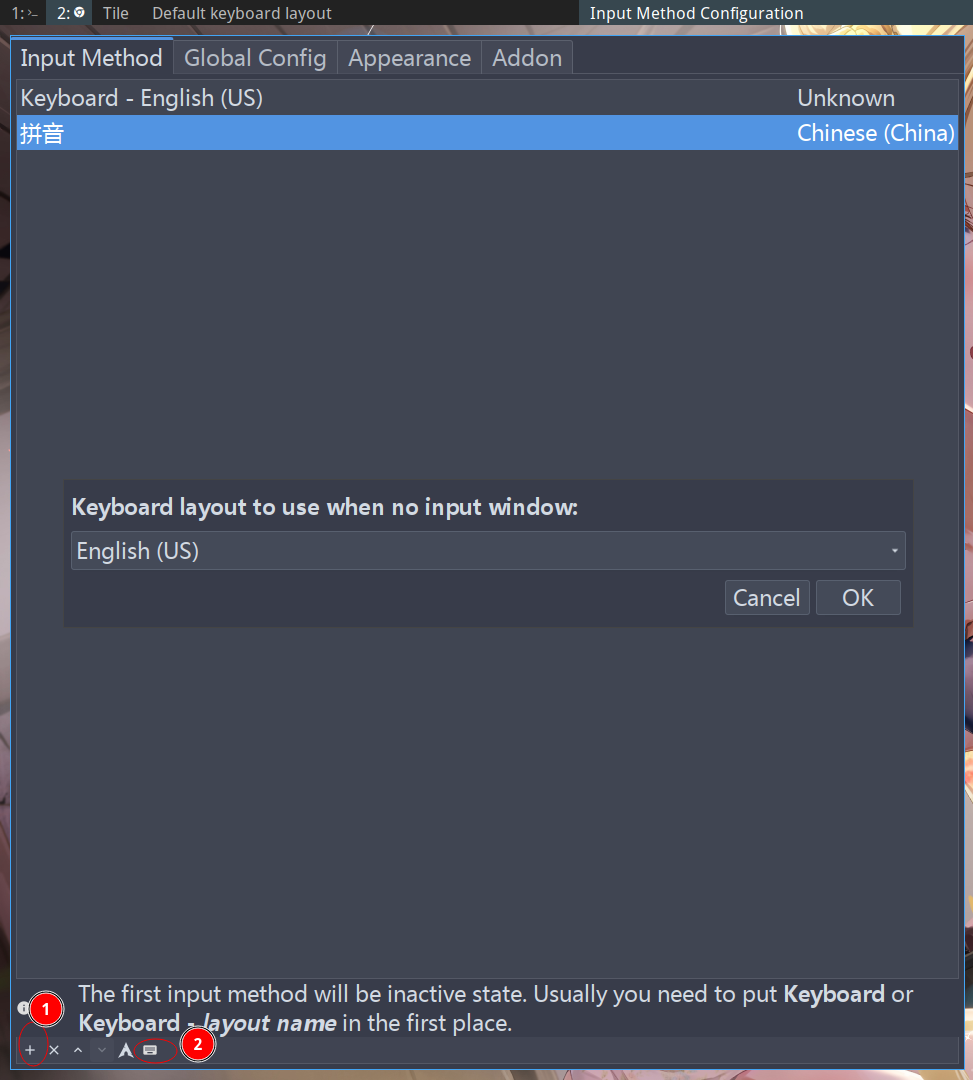
1.修改图形化界面的键盘布局

2.修改终端配置 /etc/vconsole.conf

1
KEYMAP=dvorak

3.修改/etc/X11/xorg.conf.d/00-keyboard.conf
1
2
3
4
5
6
7
8
9
10
11
# Written by systemd-localed(8), read by systemd-localed and Xorg. It's
# probably wise not to edit this file manually. Use localectl(1) to
# instruct systemd-localed to update it.
Section "InputClass"
Identifier "system-keyboard"
MatchIsKeyboard "on"
# Option "XkbLayout" "us"
Option "XkbVariant" "dvorak"
Option "XkbOptions" "caps:swapescape"
EndSection

caps:swapescape切换大小写键和esc按键

NFS使用

查看可用目录

1
showmount -e 192.168.4.8

挂载目录
1
sudo mount 192.168.4.8:/export/docs /nas/docs

/export/docs为共享的目录,nas为本机目录

CIFS使用

查看可用目录

1
smbclient -L //192.168.4.8 -U hlooc

查看用户hlooc可用目录,需要输入密码

挂载目录

1
mount -o username=hlooc,password=123456 //192.168.4.8/docs /nas/docs